
Say Hello to Investment Reminders: A Smarter Way to Stay Consistent
We’re making it easier to invest regularly, on your terms.
Investing consistently is one of the most powerful habits you can build. Not because timing the market works, it doesn’t, but because showing up regularly does.
For a while now, many of you have used Manual SIP on smallcase to do exactly this: set a schedule, get a nudge, and invest. It’s been a useful habit-building tool. But over time, we realised that what you were actually doing wasn’t quite a SIP, it was a reminder to invest more. And we think we can do that better.
So, we’re introducing Investment Reminders and retiring Manual SIP for good.
What was Manual SIP, really?
A SIP (Systematic Investment Plan) typically means your money moves automatically on a fixed date, without you lifting a finger. That’s how AutoSIP on smallcase works (Note: AutoSIP is currently supported on Zerodha, SBI Securities, HDFC Securities, Axis Securities, ICICI Securities, Kotak Neo).
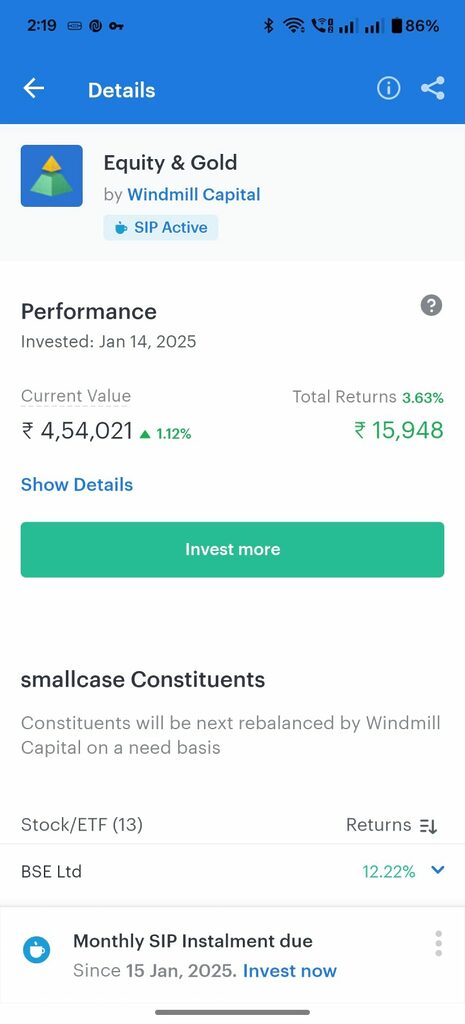
Manual SIP was different. When your scheduled date arrived, we created a pending action and sent you a notification. You still had to log in, review, and place the order yourself. It was, in effect, a reminder just with a misleading name.
Calling it a “SIP” created unnecessary confusion. Users expected automation. What they got was a nudge. We’re fixing that.
Introducing: Investment Reminders
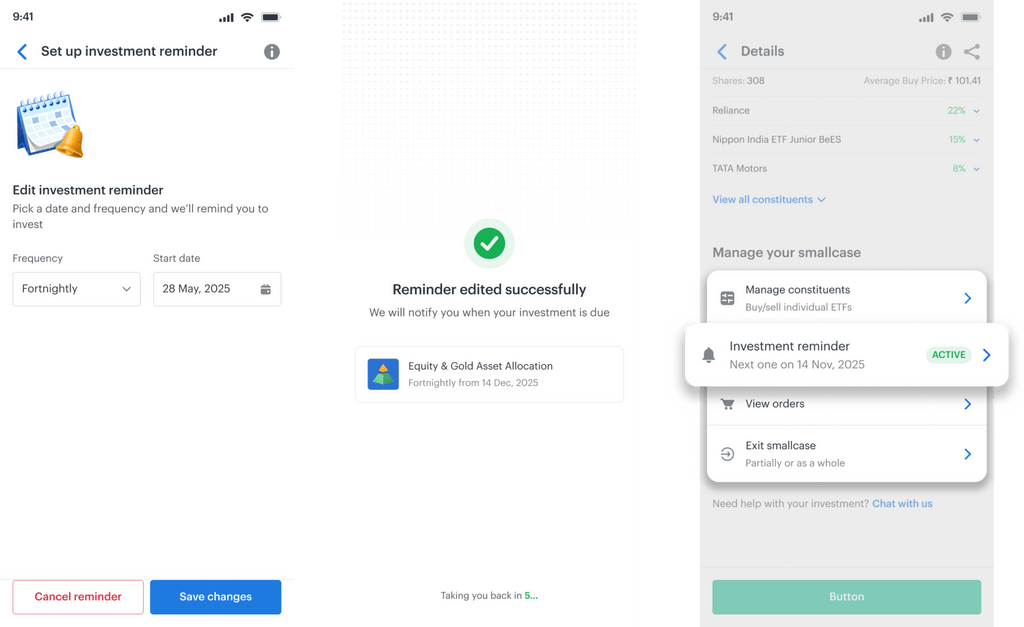
Investment Reminders are exactly what they sound like. You set a frequency monthly, quarterly, or whatever works for you and we remind you to invest in your smallcase when the date arrives.
No jargon. No false expectations. Just a clean, honest prompt to keep building your portfolio.
Here’s what changes for you:
1. Your existing Manual SIPs become Investment Reminders automatically
If you have an active Manual SIP, you don’t need to do anything. All your existing Manual SIPs will be migrated to Investment Reminders. Your schedule stays the same, your notifications stay the same.
2. When you buy a smallcase for the first time
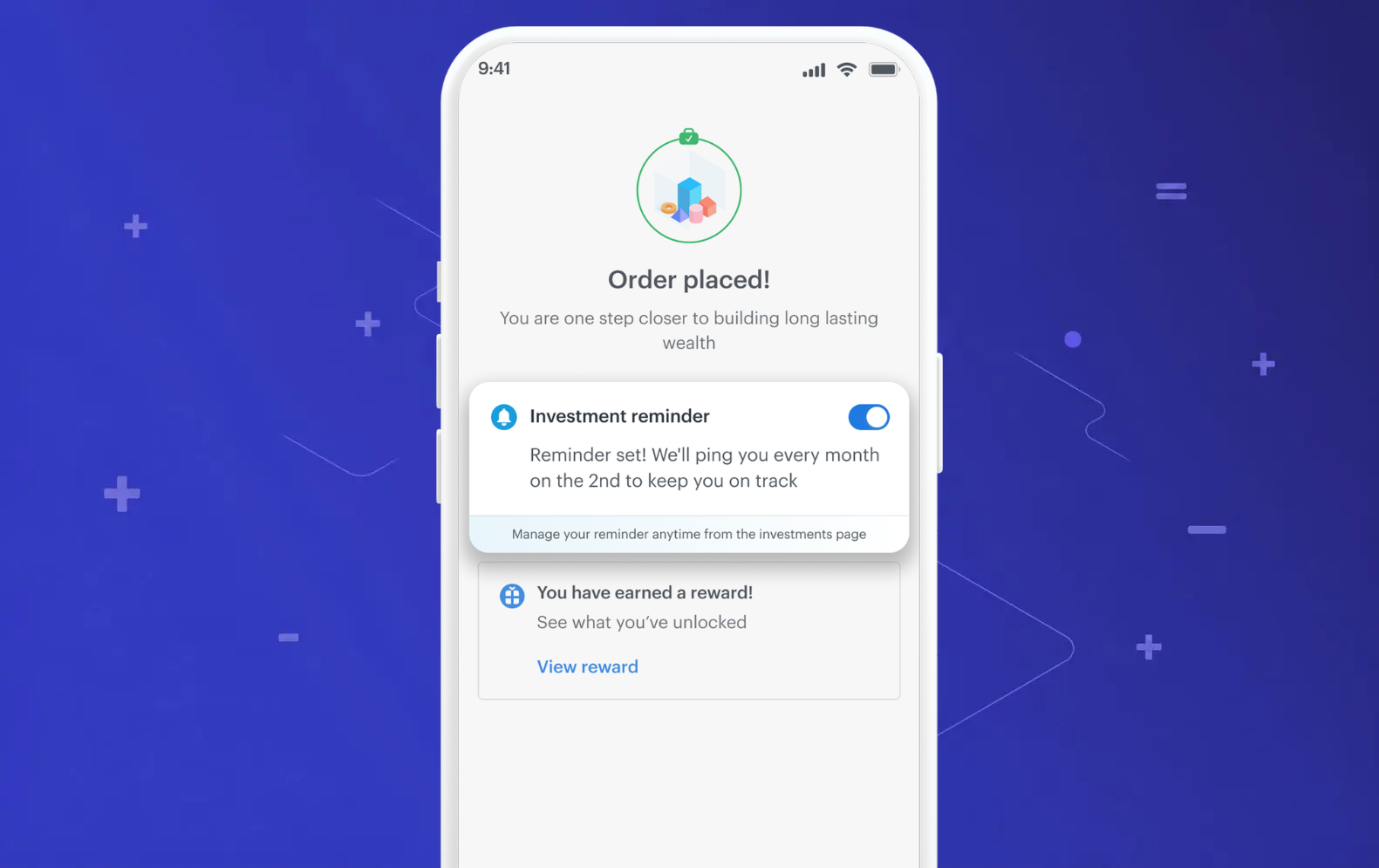
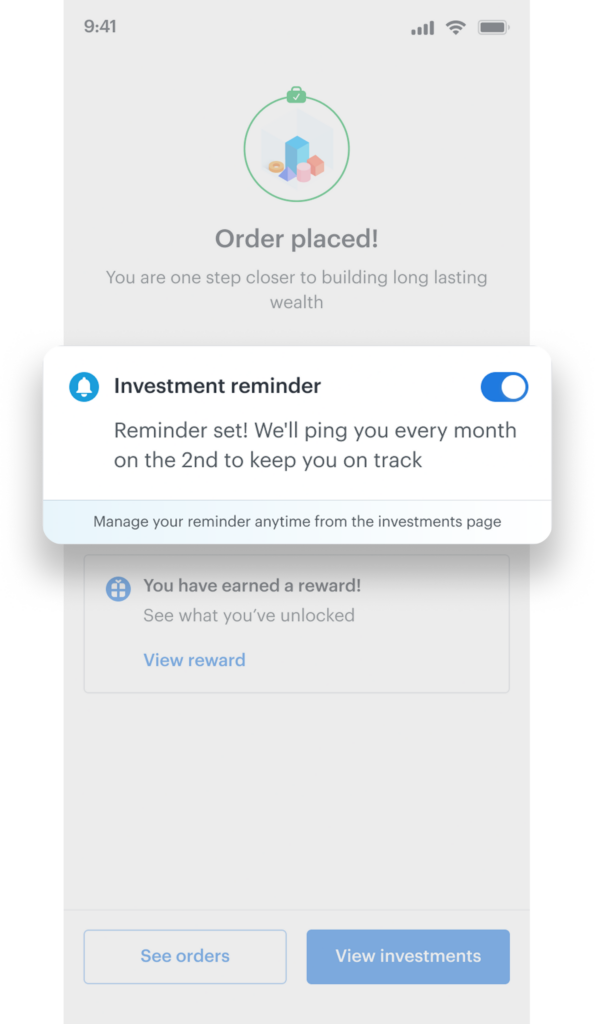
After your first order, we’ll automatically set up a monthly Investment Reminder for you — so you don’t have to remember to come back. You can always edit or turn it off from the order success screen or the More Actions menu.
3. AutoSIP is now simply called “SIP”
Since Manual SIP is going away, there’s no need for the “Auto” prefix anymore. AutoSIP is now just SIP — cleaner, simpler, and more intuitive.
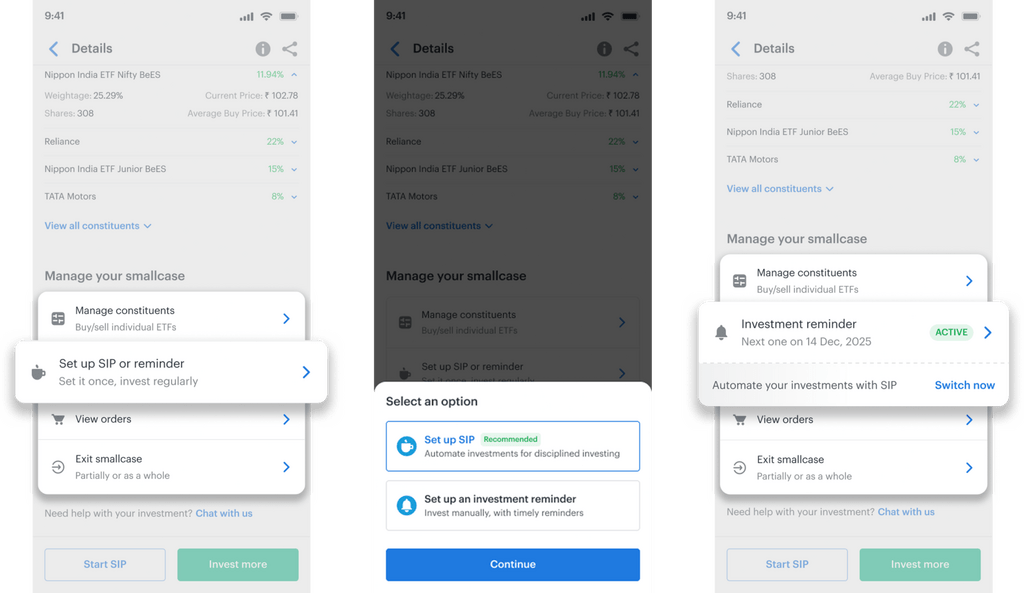
4. A cleaner More Actions menu
The More Actions menu on every smallcase now makes your investment schedule crystal clear:
| Your situation | What you’ll see |
| No SIP or reminder active | Set up SIP / Investment Reminder |
| Investment Reminder active | Edit Investment Reminder |
| SIP active | Edit SIP |
| Reminder active, SIP available | Switch to SIP |
What about users on brokers without SIP support?
For brokers that don’t support SIP, Investment Reminders are the primary tool for scheduled investing. The experience is the same: set your frequency, get your reminder, and place your order when ready.
If and when your broker adds SIP support in the future, you’ll be able to switch from a reminder to a full SIP in one tap.
Your pending actions, unchanged
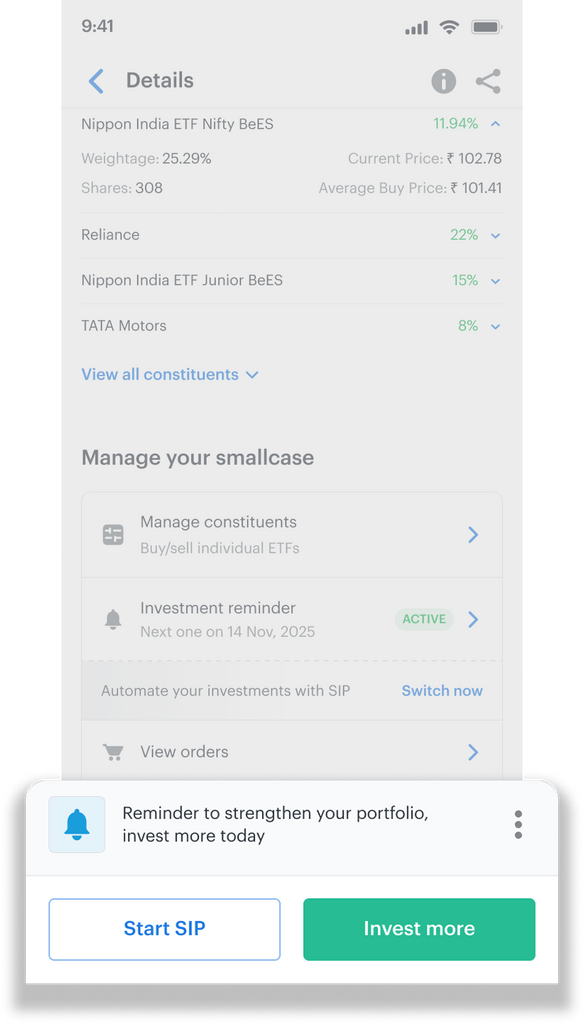
All pending actions created under your active Manual SIP will continue to appear on your home screen, now surfaced as Investment Reminders. The priority and display logic remains unchanged. When you navigate to the relevant smallcase and place an Invest More order — for any amount — it will be considered as acting on that Pending Action of the Investment Reminder.
A note on notifications
We send two types of Investment Reminder notifications:
- Updates: sent on your reminder date, letting you know your Invest More order is due.
- Reminders: sent on Day 3 and Day 7 after the date, if the order is still pending.
(Reminder notifications apply to monthly and quarterly frequencies only.)
If you consistently don’t act on reminders over several cycles, we’ll gradually reduce notification frequency so we’re not adding noise to your inbox.
Frequently Asked Questions
Do I need to set up Investment Reminders from scratch if I have an active Manual SIP? No. All your existing Manual SIPs are being migrated automatically. You won’t lose your schedule.
Can I have both a SIP and an Investment Reminder on the same smallcase? No, a SIP and an Investment Reminder can’t be active at the same time on the same smallcase. If you set up a SIP, the reminder is removed automatically. If you cancel a SIP, you can set up a reminder again.
Can I still invest manually without a reminder? Absolutely. Investment Reminders are optional. You can invest whenever you like via the standard Invest More flow.
What if I want full automation? Set up a SIP (formerly AutoSIP). Your orders will be placed automatically on the scheduled date, no pending actions, no reminders needed. (Note: currently SIP is supported on Zerodha, SBI Securities, HDFC Securities, Axis Securities, ICICI Securities, Kotak Neo)
I don’t want automatic reminders after every order. How do I opt out? After placing an order, you’ll see the Investment Reminder nudge on the success screen with an option to turn it off. You can also edit or cancel reminders anytime from the More Actions menu on any smallcase.
Manual SIP was a workaround that outlived its usefulness. Investment Reminders are built for what you were actually trying to do: stay consistent, invest regularly, and build wealth over time — without the automation you didn’t ask for.
The Bottom Line
If you want true automation, SIP is right there. If you want flexibility with a nudge, Investment Reminders have you covered.
As always, we’re here if you have questions. Head to our Help Centre or reach out through the app.
Happy investing. 🌱
You may want to read
 smallcase raises $40M in Series C Round to scale portfolio investing ecosystem
 smallcase Raises $50M in Series D Funding
 Is LAMF a Better Alternative to Breaking Investments?